

C#代理FiddlerCore4
使用 FiddlerCore 自定义 HTTP/HTTPS 网络代理
FiddlerCore 官网:FiddlerCore - Fiddler Proxy Engine for .NET and .NET Standard - Telerik 重试 错误原因 FiddlerCore Nuget: NuGet Gallery | FiddlerCore 4.6.2 FiddlerCore Nuget:NuGet 库 |FiddlerCore 4.6.2 FiddlerCore Nuget 包(4.6.2) 下载地址:https://pan.baidu.com/s/1ueTCsJ5Jv7wovCeWVN4gDw
fiddlercore.4.6.2.nupkg_免费高速下载|百度网盘-分享无限制 (baidu.com)
Fiddler 是个很好用的网络请求查看与调试工具,还可以写插件来扩展其功能。
但部分场景下,需要自定义很多网络监控操作,集成到自己的程序中。这时就需要 FiddlerCore 了。
关于 Fiddler的使用,Fiddler插件开发,FiddlerCore 详细的说明,都可以看 《Fiddler权威调试指南》一书,网上可以找到电子版。
FiddlerCore 安装
FiddlerCore 的最新版本是收费版,但 nuget.org 上可以下载到之前版本(最后更新时间:2016-01-01),基础的功能是够用的,不能直接拉取的话,则需要配置本地 Nuget 源,然后把这个 Nuget 包放进去。
FiddlerCore 官网:FiddlerCore - Fiddler Proxy Engine for .NET and .NET Standard - Telerik 重试 错误原因 FiddlerCore Nuget: NuGet Gallery | FiddlerCore 4.6.2 FiddlerCore Nuget:NuGet 库 |FiddlerCore 4.6.2 FiddlerCore Nuget 包(4.6.2) 下载地址:https://pan.baidu.com/s/1ueTCsJ5Jv7wovCeWVN4gDw
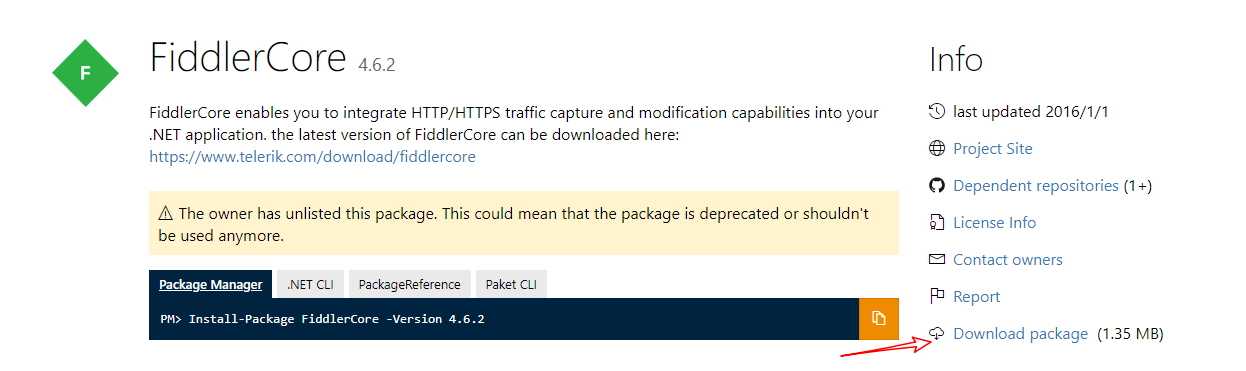
版本 4.6.2.0(在nuget网站下载
可以拦截http/https请求(https 需要安装证书
可以多级代理(在 FiddlerApplication_BeforeRequest 中设置 oSession["X-OverrideGateway"] = “IP:Port”
可以本地代理(全局代理
可以服务器代理 (非全局代理,监听指定的端口
使用示例:
//启动Fiddler(代理端口,是否注册为系统代理,解密ssl,是否允许远程请求【作为服务器代理时传true】)
FiddlerCore 使用#
FiddlerCore 的使用非常简单,主要的就是 1 启动代理,2 监听事件,3 安装证书,4 关闭代理
- 1 启动代理
FiddlerApplication.Startup(9898, FiddlerCoreStartupFlags.Default | FiddlerCoreStartupFlags.RegisterAsSystemProxy);
这里 FiddlerCoreStartupFlags.RegisterAsSystemProxy 是将你的这个程序(或者说 127.0.0.1:9898)注册为系统代理,所有走系统代理的,都会通过此程序。
如果不设置 FiddlerCoreStartupFlags.RegisterAsSystemProxy ,则被监控的程序,需要手动指定代理到 9898 这个端口。
- 2 监听事件
FiddlerApplication.BeforeRequest += FiddlerApplication_BeforeRequest;
FiddlerApplication.BeforeResponse += FiddlerApplication_BeforeResponse;

private static void FiddlerApplication_BeforeResponse(Session oSession)
{
}

private static void FiddlerApplication_BeforeRequest(Session oSession)
{
}
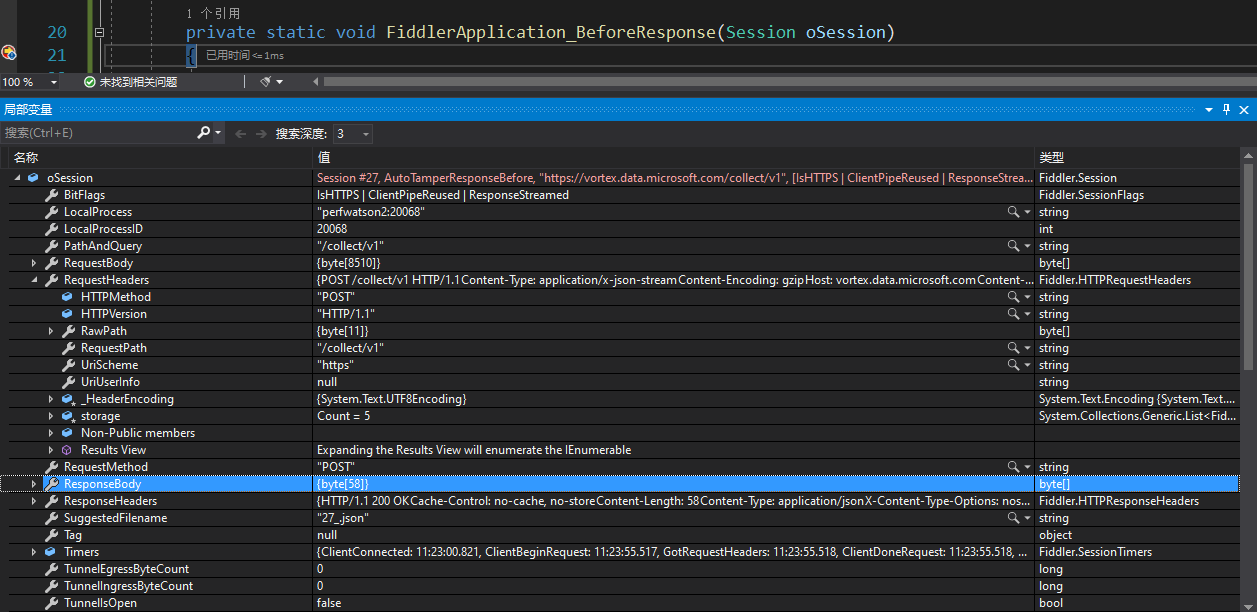
通过这两个事件,就可以拿到 FiddlerCore 所截获的请求。然后进行操作或者记录。
- 3 安装证书
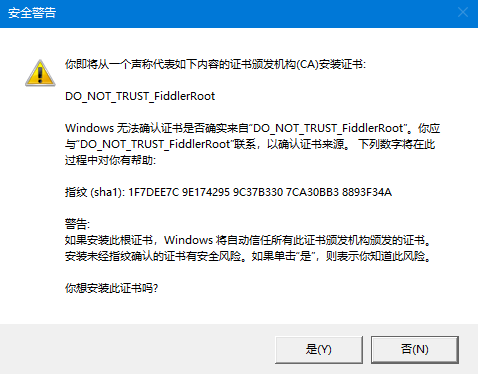
如果需要监听 HTTPS 请求,需要安装证书,安装证书时,会有一个弹窗,让用户同意。
// 安装证书
public static bool InstallCertificate()
{
    if (!CertMaker.rootCertExists())
    {
        if (!CertMaker.createRootCert())
            return false;

        if (!CertMaker.trustRootCert())
            return false;
    }

    return true;
}
// 卸载证书
public static bool UninstallCertificate()
{
    if (CertMaker.rootCertExists())
    {
        if (!CertMaker.removeFiddlerGeneratedCerts(true))
            return false;
    }
    return true;
}
- 4 关闭代理
这点很重要,因为如果程序结束之后代理不关闭,则无法正常上网。(因为设置了代理,但代理程序关闭了。)
if (FiddlerApplication.IsStarted())
{
    FiddlerApplication.Shutdown();
}
在真正使用的时候,以上这些操作,建议做一层抽象和封装,不然业务和网络监控的代码会耦合的太紧。
坑:
1.需要自己手动管理 session 手动 abort ,如果连接过多,后面请求进不来
2.需要自己手动释放内存,否则会内存泄露 (调用windows api SetProcessWorkingSetSize() 来释放内存
3.https证书这里有一些坑,每次启动程序都会创建新的证书的问题,解决方法:就是删除掉 CertMaker.dll, BCMakeCert.dll 这两个引用,项目中引用关系删除,然后bin文件夹中删除对应文件(https://blog.csdn.net/ReturningProdigal/article/details/108791520
4.如果本地使用服务器上的代理,需要在服务器代理程序安装证书后,把证书导出复制到本地进行安装
5.作为服务器代理时,FiddlerApplication.Startup 第四个参数要传true , 否则收不到请求
代码
using Fiddler;
public int port = 8888;

        public Form1()
        {
            InitializeComponent();
            // 启动 FiddlerCore
            //WebProxy myProxy = new WebProxy();
            //Uri newUri = new Uri("https://cloud.tencent.com/developer/ask/sof/111248578");
            //myProxy.Address = newUri;

            if (!Fiddler.CertMaker.rootCertExists())
            {
                if (!Fiddler.CertMaker.createRootCert())
                {
                    throw new Exception("Unable to create cert for FiddlerCore.");
                }
            }
            if (!Fiddler.CertMaker.rootCertIsTrusted())
            {
                if (!Fiddler.CertMaker.trustRootCert())
                {
                    throw new Exception("Unable to install FiddlerCore's cert.");
                }
            }
            Fiddler.FiddlerApplication.Startup(8080, true, true, true);
            ServicePointManager.ServerCertificateValidationCallback = (a, b, c, d) => true;
            FiddlerApplication.BeforeRequest += FiddlerApplication_BeforeRequest;
            Fiddler.FiddlerApplication.AfterSessionComplete += FiddlerApplication_AfterSessionComplete;
            Console.WriteLine("FiddlerCore started. Press any key to exit.");
            //Console.ReadKey();


        }
        private static void FiddlerApplication_BeforeRequest(Session oSession)
        {
            var s = oSession.GetRequestBodyAsString();
            if (oSession.fullUrl.Contains("https://cloud.tencent.com"))
            {
                Console.WriteLine($"{oSession.RequestMethod} {oSession.fullUrl}");
                Console.WriteLine($"Request headers: {oSession.RequestHeaders.ToString()}");
                Console.WriteLine($"Response headers: {oSession.ResponseHeaders.ToString()}");
                Console.WriteLine();
            }
            //if ((!string.IsNullOrEmpty("https://cloud.tencent.com")) && oSession.m_hostIP.StartsWith("https://cloud.tencent.com"))
            //{
            //}
            //处理拦截请求,之后继续向目标url 发送,然后传回响应内容

        }
        static void FiddlerApplication_AfterSessionComplete(Session oSession)
        {
            var s = oSession.GetRequestBodyAsString();
            if (oSession.fullUrl.Contains("https://cloud.tencent.com"))
            {
                Console.WriteLine($"{oSession.RequestMethod} {oSession.fullUrl}");
                Console.WriteLine($"Request headers: {oSession.RequestHeaders.ToString()}");
                Console.WriteLine($"Response headers: {oSession.ResponseHeaders.ToString()}");
                Console.WriteLine();
            }
        }
代码2
查阅手册,看几个关键的方法和变量:
//获得Request体
oSession.GetRequestBodyAsString()
//获得Response内容
oSession.GetResponseBodyAsString()
// 修改session中的显示样式
oSession["ui-color"] = "orange";
// 移除http头部中的MQB-X5-Referer字段
oSession.oRequest.headers.Remove("MQB-X5-Referer");
// 修改http头部中的Cache-Control字段
oSession.oRequest["Cache-Control"] = "no-cache";
// 修改host
oSession.host = "example.domain";
// 修改Origin字段
oSession.oRequest["Origin"] = "http://domain";
// 删除所有的cookie
oSession.oRequest.headers.Remove("Cookie");
// 新建cookie
oSession.oRequest.headers.Add("Cookie", "username=cookiename;");
// 修改Referer字段
oSession.oRequest["Referer"] = "https://yoururl";
拦截websockets请求
FiddlerApplication_OnWebSocketMessage
  public partial class Form1 : Form
    {
        public int port = 8888;
        public Form1()
        {
          //  Iptext = new TextBox();
          //  Iptext.Text = "10";
            InitializeComponent();
        }

        private void FiddlerApplication_BeforeRequest(Session oSession)
        {
             if ((!string.IsNullOrEmpty(this.Iptext.Text))&&oSession.m_hostIP.StartsWith(this.Iptext.Text))
            {
                this.treeView1.BeginInvoke((ThreadStart)delegate ()
                {

                    TreeNode tempNode = new TreeNode();
                    tempNode.Text = oSession.url+oSession.m_hostIP;
                    this.treeView1.Nodes.Add(tempNode);
                });
            }
            else
            {
                this.treeView1.BeginInvoke((ThreadStart)delegate ()
                {
                    TreeNode tempNode = new TreeNode();
                    tempNode.Text = oSession.url + oSession.m_hostIP; ;
                    this.treeView1.Nodes.Add(tempNode);
                });
            }


        }


        private void button1_Click(object sender, EventArgs e)
        {
            this.treeView1.BeginInvoke((ThreadStart)delegate ()
            {
                TreeNode tempNode = new TreeNode();
                tempNode.Text = "开始";
                this.treeView1.Nodes.Add(tempNode);
            });
            if(!Fiddler.FiddlerApplication.IsStarted())
            {
                FiddlerApplication.BeforeRequest += FiddlerApplication_BeforeRequest;
                Fiddler.FiddlerApplication.Startup(port, true, true);
            }
            else
            {
                this.treeView1.BeginInvoke((ThreadStart)delegate ()
                {
                    TreeNode tempNode = new TreeNode();
                    tempNode.Text = "不能重复开启";
                    this.treeView1.Nodes.Add(tempNode);
                });
            }

        }

        private void button1_Click_1(object sender, EventArgs e)
        {
            this.treeView1.BeginInvoke((ThreadStart)delegate ()
            {
                TreeNode tempNode = new TreeNode();
                tempNode.Text = "终止";
                this.treeView1.Nodes.Add(tempNode);
            });
            Fiddler.FiddlerApplication.Shutdown();
        }

        private void label1_Click(object sender, EventArgs e)
        {

        }

        private void listView1_SelectedIndexChanged(object sender, EventArgs e)
        {

        }

        private void treeView1_AfterSelect(object sender, TreeViewEventArgs e)
        {

        }
    }
2 获取拦截请求的域名和ip
   private void FiddlerApplication_BeforeRequest(Session oS)
        {
if ((!string.IsNullOrEmpty(this.txt_destinationHost.Text)) && oSession.m_hostIP.StartsWith(this.txt_destinationHost.Text))
             {
            }
        }
3 修改响应内容,修改返回请求头,状态,内容
    private void FiddlerApplication_BeforeRequest(Session oS)
        {
  if ((oS.oRequest.pipeClient.LocalPort == iSecureEndpointPort) && (oS.hostname == sSecureEndpointHostname))
            {
                oS.utilCreateResponseAndBypassServer();
                oS.oResponse.headers.SetStatus(200, "Ok");
                oS.oResponse["Content-Type"] = "text/html; charset=UTF-8";
                oS.oResponse["Cache-Control"] = "private, max-age=0";
                var Restr="返回内容";
                oS.utilDecodeResponse();
                oS.utilSetResponseBody(Restr);
           }
        }
4 开启FiddlerCore在指定端口的监听。
Fiddler.FiddlerApplication.Startup(iPort, oFCSF);
5 建立在指定端口的HTTPS的监听
oSecureEndpoint = FiddlerApplication.CreateProxyEndpoint(iSecureEndpointPort, true, sSecureEndpointHostname);
6关闭应用
Fiddler.FiddlerApplication.Shutdown();
7获取请求头信息和请求内容
oS.RequestHeaders.ToByteArray(true, true, !oS.isHTTPS)

oS.RequestBody
8 设置代理网关 提供主机:网关的端口组合,该网关应该用于代理此请求,或直接将请求发送到原始服务器。
x-overrideGateway
 oSession["X-OverrideGateway"] ="socks=127:80"
